How to Spot Fake Trust Wallet Apps
Key Tips to Identify Fake Trust Wallet Apps
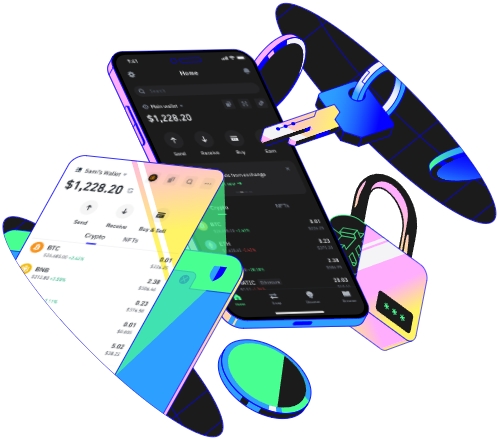
In the digital age, mobile wallets have become an essential tool for managing cryptocurrencies. Trust Wallet, a popular and secure cryptocurrency wallet, has gained a significant user base. However, with its popularity, the number of fake Trust Wallet apps has also increased. These fake apps can lead to the loss of your valuable digital assets. Therefore, it is crucial to know how to spot fake Trust Wallet apps.
One of the first steps in identifying a fake Trust Wallet app is to check the source of the download. The official Trust Wallet app can be downloaded from the Google Play Store for Android devices and the Apple App Store for iOS devices. Avoid downloading apps from third - party websites or unofficial sources. Third - party websites may host modified or malicious versions of the app. Malicious developers can use these fake apps to steal your private keys, which are the keys to your cryptocurrency funds. For example, some fake apps may ask for your private key under the guise of a security check, but in reality, they are trying to gain access to your wallet.
Another important aspect is to examine the app's details. Look at the app's description, screenshots, and reviews. The official Trust Wallet app will have a professional and detailed description that accurately explains its features and functions. The screenshots should show a clean and user - friendly interface that matches the official Trust Wallet design. If the description is full of typos, grammar errors, or vague statements, it could be a sign of a fake app. Similarly, if the screenshots look low - quality or do not match the official app's appearance, it is likely a counterfeit. Reviews can also provide valuable insights. Genuine apps usually have a large number of positive reviews from real users. If an app has very few reviews or a high number of negative reviews complaining about security issues or incorrect functionality, it should raise red flags.
Pay attention to the app's permissions. The official Trust Wallet app only requests necessary permissions to function properly. For example, it may need access to your device's storage to save wallet data or access the internet to connect to the blockchain network. If an app asks for excessive permissions, such as access to your contacts, camera, or microphone, it is likely a fake. Malicious apps may use these extra permissions to collect your personal information or perform unauthorized actions on your device.
The app's developer information is also a crucial factor. The official Trust Wallet is developed by Binance. Check the developer's details in the app store. If the developer name is different or unknown, it is a strong indication that the app is fake. Additionally, look for official social media accounts and websites associated with the app. The official Trust Wallet has an active presence on social media platforms like Twitter and a well - maintained official website. If an app claims to be Trust Wallet but does not have any official social media links or has a suspicious website, it is likely a fake.
Compare the app's interface with the official Trust Wallet. The official app has a distinct and consistent design. Look for differences in the layout, color scheme, and logo. A fake app may have a slightly different logo or a layout that is not as polished as the official one. For example, the official Trust Wallet logo is well - defined and has a specific color combination. If the logo in the app you are considering looks blurry, has a different color, or is misspelled, it is probably a fake.
Be cautious of apps that promise unrealistic rewards or features. Some fake Trust Wallet apps may claim to offer high - yield investment opportunities or free cryptocurrency. These are often scams. Legitimate cryptocurrency wallets do not make such outlandish promises. If an app seems too good to be true, it probably is.
Keep an eye on the app's version. The official Trust Wallet app is regularly updated to improve security and add new features. Check the app store for the latest version number. If an app has an outdated version or claims to be a "special" or "improved" version that is not available on the official app stores, it is likely a fake.
Lastly, stay informed about the latest security threats and news related to Trust Wallet. Follow official announcements from Trust Wallet and cryptocurrency news sources. They can provide information about new fake apps and security vulnerabilities. By staying informed, you can better protect yourself from falling victim to fake Trust Wallet apps.
In conclusion, spotting fake Trust Wallet apps requires a combination of careful research, attention to detail, and awareness of common scams. By following these tips, you can safeguard your cryptocurrency assets and ensure that you are using a legitimate and secure wallet app.
TAG: app Trust Wallet fake official apps your cryptocurrency may security
